


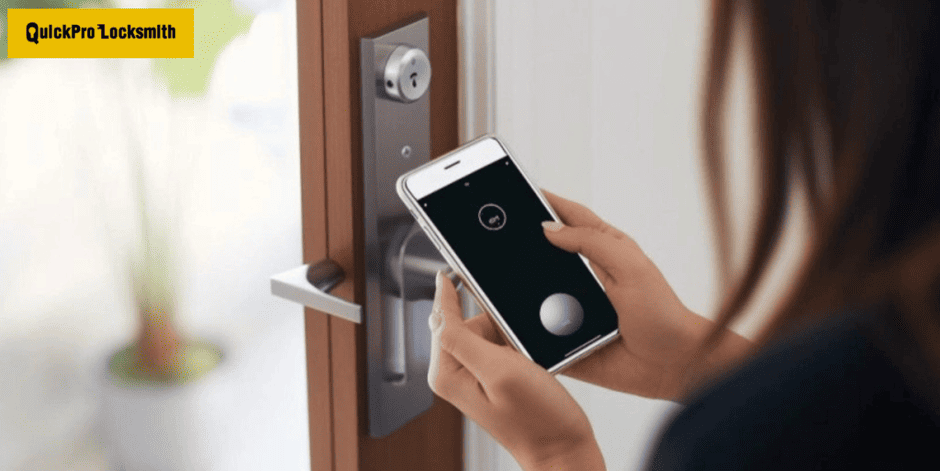
Smart locks mean you no longer have to carry keys everywhere. Homeowners can unlock their doors with a keypad, fingerprint, or smartphone app. But what happens when the battery dies while you are standing outside your home? A simple battery problem can turn into a frustrating lockout fast. Whether you need a reliable locksmith in Stone Mountain for assistance or just want to avoid this situation, knowing how smart locks work can help you prepare for unexpected problems.
Table of Contents
Why Is Smart Lock Battery Life Important?
Smart locks depend on electrical power to run their electronic features. They let homeowners enter using access codes, fingerprints, or mobile apps. Unlike traditional locks, these systems need regular battery maintenance to keep working properly.
How a Dead Battery Affects Your Smart Lock
Once the battery is fully drained, the lock’s electronic functions can shut down. What happens next depends on the lock’s design and the backup options it offers.
The Keypad Stops Responding
Many smart locks have a keypad where homeowners enter a personal security code. Once the battery is completely drained, the keypad may stop lighting up or accepting input. Even if you enter the correct code, the lock might not respond because it doesn’t have enough power to operate.
Smartphone Access May Become Unavailable
Smartphone apps let homeowners control their doors over Bluetooth or Wi-Fi. Your phone can’t operate a lock that has lost power completely, though. You might still see the lock in your app, but the unlock command may not work.
You Could Get Locked Out
A dead battery is especially frustrating when you are standing outside without a backup key or another way in. Instead of forcing the lock, check the manufacturer’s recommended emergency access methods. If nothing works, a locksmith in Stone Mountain can help you get back inside without causing unnecessary damage.
How Can You Recognize a Weak Smart Lock Battery?
Most smart locks give some warning before the batteries run out completely. Paying attention to these signals can help you avoid an unexpected lockout.
Some models beep or flash a light when the battery is getting low. Others send battery notifications through their smartphone apps. You might also notice that the keypad responds slowly or the locking mechanism behaves inconsistently.
A low battery usually triggers some kind of alert on a smart lock, so you rarely get caught off guard. Ignoring those alerts, however, can cause problems at the worst possible time. Understanding the essential features of smart locks can help homeowners choose a system with useful functions and reliable backup options.
How Do You Get Inside When the Smart Lock Battery Is Dead?
Standing outside with an unresponsive smart lock is stressful. Some smart locks do include backup options that may help you get in.
Check for a Physical Backup Key
Certain smart locks have a traditional keyhole for emergencies. If your model has one, use the backup key as the manufacturer instructs. Keep your spare key somewhere secure and easy to reach, not hidden in an obvious outdoor spot.
Look for an Emergency Power Connection
Some smart locks have an external power connection that temporarily powers the system when the internal batteries are dead. Depending on the model, this may let you use the keypad and unlock the door. Check your product manual to see whether your lock supports this feature.
Replace the Batteries
If you can get into your home through another door, replace the batteries as soon as possible. Follow the manufacturer’s instructions and install the recommended battery type. Check the battery orientation before you close the compartment, then test the keypad and locking mechanism.
Avoid Forcing the Lock
Forcing the keypad, handle, or deadbolt can make things worse. Trying to remove electronic components without the right knowledge may damage the locking system. When none of the backup options get the door open, it’s safer to call a professional locksmith in Stone Mountain.
If you want to know what to do during an unexpected home lockout, you can also read this guide on handling a house lockout.
How Can You Prevent Smart Lock Battery Failure?
A little maintenance goes a long way in keeping your smart lock dependable. Replace the batteries when you get a low-battery notification instead of waiting until the lock stops working. Stick with the exact batteries listed in your lock’s manual.
It also helps to learn your lock’s backup entry options before an emergency happens. A spare physical key or an emergency power feature can make a big difference when the battery fails.
Check that your door closes smoothly and the deadbolt moves without resistance. A misaligned door puts extra pressure on the locking mechanism and can affect how it works. Regular lock maintenance can help you catch small problems before they become bigger ones.
When Should You Contact a Professional Locksmith?
A dead battery isn’t the cause of every smart lock problem. Electronic faults, damaged components, loose hardware, and door alignment issues can also affect performance.
If your keypad stays unresponsive after you replace the batteries, or your deadbolt gets stuck, you may need professional help. A professional locksmith in Stone Mountain can inspect the locking system, identify the likely cause, and explain your repair or replacement options.
QuickPro Locksmith can help homeowners explore locksmith services for different lock-related concerns. Before approving any work, ask about the technician’s experience with electronic locks and the expected pricing.
Keep Your Home Accessible and Secure Today
Smart locks are convenient, but they still need proper maintenance and a reliable backup plan. Replacing batteries on time, watching for warning signals, and knowing your emergency access options can help prevent unexpected lockouts.
Whether you’re dealing with a malfunctioning smart lock or a sudden lockout, having professional help available makes the situation easier to handle. Visit QuickPro Locksmith to learn more about available locksmith services and keep your home’s entry system working reliably.
