Close Menu
MetroMSK

    Subscribe to Updates

    Get the latest creative news from FooBar about art, design and business.

    What's Hot

    Key Features to Look for in Modern Cloud-Based Collaboration Platforms

    July 31, 2026

    7 States Where Homebuyers May Still Find More Home for Their Money

    July 31, 2026

    Routine Maintenance Checklist for Slate Roofing on Homes in Alexandria

    July 31, 2026
    Facebook X (Twitter) Instagram
    • About Us
    • Contact Us
    • Disclaimer
    • Terms & Conditions
    Facebook X (Twitter) Instagram Pinterest Vimeo
    MetroMSKMetroMSK
    • Business
    • Education
    • Health
    • Finance
    • Lifestyle
    • Tech
    • Travel
    • Automotive
    • Food
    Subscribe
    MetroMSK
    Home » The Business Case for Desktop-Native Collaboration in Enterprise Environments
    Tech

    The Business Case for Desktop-Native Collaboration in Enterprise Environments

    metromskBy metromskJuly 29, 2026No Comments4 Mins Read
    Share Facebook Twitter Pinterest LinkedIn Tumblr Reddit Telegram Email
    Share
    Facebook Twitter LinkedIn Pinterest Email

    Most people who work at a large company spend a good part of their day switching between a browser tab and a desktop application, often without thinking much about it. A file opens in a browser, is edited a bit, then downloaded to a desktop folder because that is where the rest of the work happens, and this back-and-forth repeats dozens of times a week across a team. It feels normal until someone stops to count how much time gets lost in that shuffle.

    This is really the starting point for why desktop native collaboration has become something IT teams and department heads think about more seriously. The idea is not complicated. Instead of forcing people to leave the applications they already know, files and edits sync directly through the desktop environment itself, so the software works the way people already work rather than asking them to change habits that took years to build.

    Table of Contents

    • Why Browser-Only Tools Fall Short at Scale
    • How Desktop-Native Tools Change the Day-to-Day Work
    • What This Means for IT and for Everyday Employees

    Why Browser-Only Tools Fall Short at Scale

    Browser-based collaboration tools work fine for small teams or short projects, but enterprise environments run into friction once hundreds or thousands of employees rely on the same workflow every day. A slow internet connection in one office can turn a quick edit into a frustrating wait, and employees who travel often find themselves stuck without reliable access at all. None of this is a huge problem on its own, but added up across a large workforce, it becomes a real drain on productivity that rarely shows up clearly on any single report.

    People miss this sometimes, assuming that moving everything to the cloud automatically solves collaboration problems. In practice, a purely browser-based setup can create as many bottlenecks as it removes, especially for teams working with large files like architectural drawings, video projects, or dense spreadsheets that behave poorly inside a browser tab.

    How Desktop-Native Tools Change the Day-to-Day Work

    A desktop native collaboration setup keeps people inside the applications built for heavy file work, whether that is a design program, a spreadsheet tool, or a document editor, while still keeping everyone synced on the same version behind the scenes. Two employees can work on the same file at the same time without emailing versions back and forth or waiting for someone to finish before making their own changes. This alone removes a huge source of confusion in most enterprise teams, where multiple drafts of the same file tend to circulate until someone finally consolidates them.

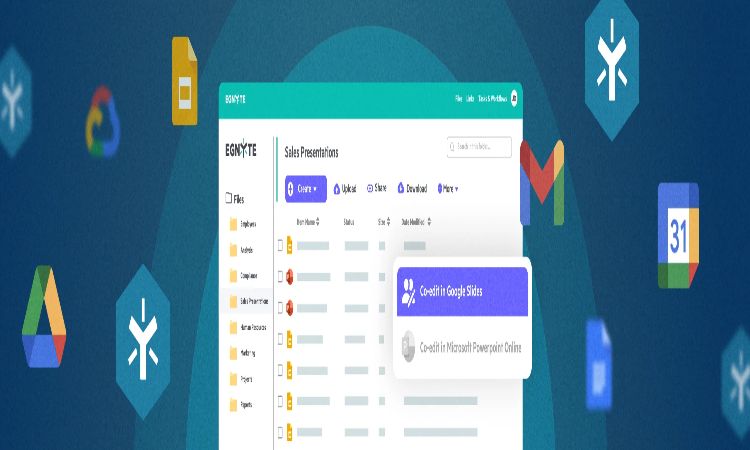
    Egnyte has built tools around this exact idea, giving teams a way to co-edit files through native desktop applications rather than routing everyone through a browser window. This kind of setup matters most for industries where large files are common, since desktop applications generally handle heavy files with far more stability than a browser tab managing the same load.

    Firms looking into collaboration tools for a distributed workforce often find that native desktop syncing solves problems a browser-first approach never fully addressed, particularly around speed and file size limits that browsers tend to struggle with.

    What This Means for IT and for Everyday Employees

    For IT teams, desktop native collaboration usually means fewer support tickets tied to sync errors or lost work, since the system handles version control in the background rather than relying on employees to manage it themselves. For everyday employees, it means less time spent figuring out which version of a file is current and more time spent actually doing the work in front of them. This comes up more often than expected in employee feedback surveys, where the biggest complaints are rarely about the quality of a tool and more about how disruptive it feels to switch between systems throughout the day.

    The business case here is not about chasing the newest software trend. It comes down to reducing friction for people who already know how to do their jobs and just need tools that support how they already work, rather than getting in the way.

    Share. Facebook Twitter Pinterest LinkedIn Tumblr Email
    Previous ArticleHow Building Infrastructure Choices Impact Long-Term Business Valuation
    Next Article Find out how much your savings can grow with a savings account interest calculator
    metromsk
    • Website

    Related Posts

    Tech

    Key Features to Look for in Modern Cloud-Based Collaboration Platforms

    July 31, 2026
    Tech

    HONOR Smartphone Connectivity Features Explained

    July 30, 2026
    Tech

    Understanding the Difference Between Break-Fix and Managed IT Services

    July 22, 2026
    Add A Comment

    Comments are closed.

    Recent Posts
    • Key Features to Look for in Modern Cloud-Based Collaboration Platforms
    • 7 States Where Homebuyers May Still Find More Home for Their Money
    • Routine Maintenance Checklist for Slate Roofing on Homes in Alexandria
    • A Homeowner’s Guide to Planning Cedar Roofing Installation in Moline
    • Reasons Steel Roofing Remains Preferred Choice for Homeowners in Chantilly
    Categories
    • Automotive
    • Brokers
    • Business
    • Career Guide
    • Education
    • Entertainment
    • Fashion
    • Finance
    • Food
    • Games
    • Health
    • Home Decor
    • Home improvement
    • Law
    • Lifestyle
    • News
    • Pets
    • Real Estate
    • Tech
    • Travel
    Recent Comments
      Demo
      Top Posts

      Nearest Metro Station to Max Hospital Patparganj

      April 14, 2021812 Views

      Surajpur Greater Noida Nearest Metro Station

      May 6, 2021694 Views

      Nearest Metro Station to Manipal Hospital Dwarka Delhi

      April 9, 2021686 Views
      Stay In Touch
      • Facebook
      • YouTube
      • TikTok
      • WhatsApp
      • Twitter
      • Instagram
      Latest Reviews

      Subscribe to Updates

      Get the latest tech news from FooBar about tech, design and biz.

      Demo
      Most Popular

      Nearest Metro Station to Max Hospital Patparganj

      April 14, 2021812 Views

      Surajpur Greater Noida Nearest Metro Station

      May 6, 2021694 Views

      Nearest Metro Station to Manipal Hospital Dwarka Delhi

      April 9, 2021686 Views
      Our Picks

      Key Features to Look for in Modern Cloud-Based Collaboration Platforms

      July 31, 2026

      7 States Where Homebuyers May Still Find More Home for Their Money

      July 31, 2026

      Routine Maintenance Checklist for Slate Roofing on Homes in Alexandria

      July 31, 2026

      Subscribe to Updates

      Get the latest creative news from FooBar about art, design and business.

      Facebook X (Twitter) Instagram Pinterest
      • Home
      • Technology
      • Phones
      • Buy Now
      © 2026 ThemeSphere. Designed by ThemeSphere.

      Type above and press Enter to search. Press Esc to cancel.