


There’s a moment — usually about fifteen minutes in — where the initial excitement of typing a prompt and watching an image appear starts to flatten. The output looks impressive at a glance. Maybe even shareable. But something nags. The hands are wrong, or the composition feels generic, or the style doesn’t match what you actually needed. You try again, tweak a word, get something different but not necessarily better. This is where most first-time users of AI image tools either abandon the experiment or start learning something genuinely useful about how these workflows operate.
That gap between the first generated image and the first useful generated image is where the real evaluation begins. And it’s the part almost nobody talks about honestly.
Table of Contents
The Novelty Problem and Why It Distorts Judgment
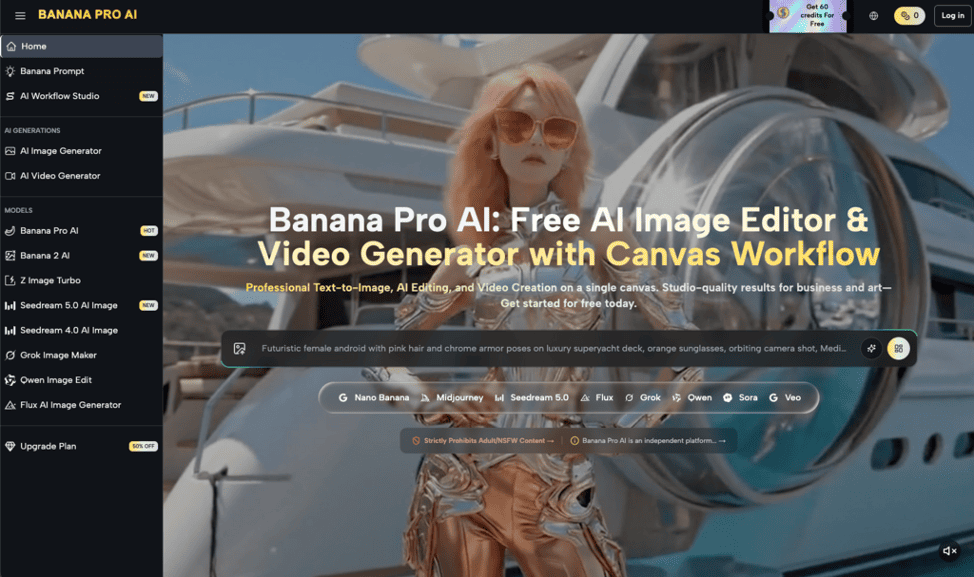
When someone lands on a free AI image generator like Banana Pro AI — which offers text-to-image and image-to-image conversion — the first interaction is almost always a test of wonder, not utility. You type something playful. A dragon riding a skateboard. A neon cityscape. A portrait in the style of a painter you admire. The tool produces something, and it feels like magic.
But wonder is a terrible basis for evaluating whether a tool fits into how you actually work.
What tends to happen after a few tries is a shift. The prompts get more specific. You start wanting a particular aspect ratio, a certain mood, a composition that matches a layout you already have in mind. And suddenly the tool feels less cooperative. Not because it’s broken — but because your expectations just changed from “show me anything” to “show me this.”
This is the moment that separates people who will find genuine value in AI-assisted image creation from those who will quietly close the tab and forget about it. The ones who stay tend to be the ones willing to treat the output as a starting point, not a finished product.
Where Speed Helps and Where It Quietly Creates More Work
The promise of AI image generation is speed. And in a narrow sense, it delivers. Typing a prompt and receiving a visual in seconds is objectively faster than opening Photoshop, sourcing stock images, or sketching concepts by hand. For solo creators working on social content — the person who needs a visual for a blog post by Thursday, not a portfolio piece — that speed matters.
But speed has a hidden cost that people rarely account for upfront: selection fatigue.
Generating one image is fast. Generating twelve variations because none of them are quite right is still fast in clock time, but slow in decision time. You start second-guessing your own prompt. You wonder if the issue is your phrasing or the tool’s interpretation. You lose twenty minutes not creating, but choosing — and sometimes choosing to start over entirely.
This is where an AI image editor mindset becomes more relevant than an AI image generator mindset. The people who get the most from these tools tend to treat generation as the first step in a longer chain: generate, evaluate, select, revise manually, or regenerate with adjusted input. That chain is faster than building from scratch, but it’s not the effortless single-click process that first impressions suggest.
I’ve noticed — across conversations with creators who use various tools — that the ones who stay realistic about this revision loop are the ones who report the most satisfaction long-term. The ones who expect perfection on the first prompt tend to burn out on the concept entirely.
What Can’t Be Concluded from a Product Page
Here’s where honesty matters more than enthusiasm.
Banana Pro AI describes itself as a free AI image generator supporting text-to-image and image-to-image workflows. That’s a clear, limited claim. What it doesn’t tell you — and what no product page reasonably should — is how the outputs will hold up against your specific quality bar, how consistent results will be across different prompt styles, or whether the tool suits commercial use cases.
These aren’t criticisms. They’re simply boundaries of what can be known before hands-on experimentation.
And this is a point worth sitting with: the decision about whether a free tool like this is worth incorporating into your workflow cannot be made from the outside. It requires a few rounds of genuine use, with prompts that reflect your actual needs — not test prompts designed to impress yourself. A Nano Banana Pro experiment that uses your real content calendar as input will tell you more in thirty minutes than any review article can.
What I can say is that the category itself — free, browser-based AI image generation — has matured enough that the floor of quality is higher than it was even a year ago. The variance between tools is real, but the gap between “usable” and “unusable” has narrowed considerably.
The Part That Usually Takes Longer Than Expected
It’s not the generation. It’s developing prompt instincts.
Most beginners write prompts the way they’d describe an image to a friend: “a beautiful sunset over mountains with a lake.” That produces something. But it produces something average — because the prompt is average. It’s the visual equivalent of searching Google for “good restaurant near me” and wondering why the results feel generic.
The learning curve with any Nano Banana tool — or any AI image platform — is less about the interface and more about developing a vocabulary for visual specificity. Lighting direction. Color palette language. Compositional framing terms. Style references that are precise enough to guide output without being so narrow that the model can’t interpret them.
This skill is transferable across tools, which is worth noting. Time spent learning to prompt well on one platform isn’t wasted if you switch later. But it does mean the first few sessions with any AI image generator will underperform — not because the tool is weak, but because the operator is still calibrating.
A More Honest Way to Evaluate
If you’re a solo creator or small-team operator considering whether to fold a tool like Banana Pro AI into your process, here’s a more grounded framework than “try it and see”:
Use it for three real tasks, not three test tasks. Generate images for content you’re actually publishing. The pressure of real use surfaces friction that casual testing hides.
Compare the full cycle, not just the generation step. How long did it take from prompt to final usable image, including any manual editing or re-prompting? Compare that honestly to your current process.
Notice where your taste outpaces the output. That gap isn’t a flaw — it’s information. It tells you whether the tool works as a draft generator (useful) or whether it consistently misses your visual standard (less useful for your specific case).
Stop evaluating after the wow fades. The first image means nothing. The tenth image, made under real constraints, means everything.
The decision is less about the tool itself and more about whether your workflow has a genuine bottleneck that fast visual generation solves. For some creators, it does — dramatically. For others, the bottleneck was never image creation; it was image direction. And no generator, however capable, solves that for you.
Where This Leaves You
AI image generation is not a shortcut to visual quality. It’s a shortcut to visual volume — and volume is only valuable when paired with judgment. The people who benefit most from tools in this category are the ones who already know what they want and need a faster way to approximate it. The people who benefit least are the ones hoping the tool will make creative decisions on their behalf.
A free tool lowers the cost of experimentation to zero, which is genuinely valuable. But free doesn’t mean frictionless, and fast doesn’t mean finished. The best use of your first hour with any AI image generator — Banana Pro AI or otherwise — is to learn what it won’t do for you. That’s the insight with the longest shelf life.
