


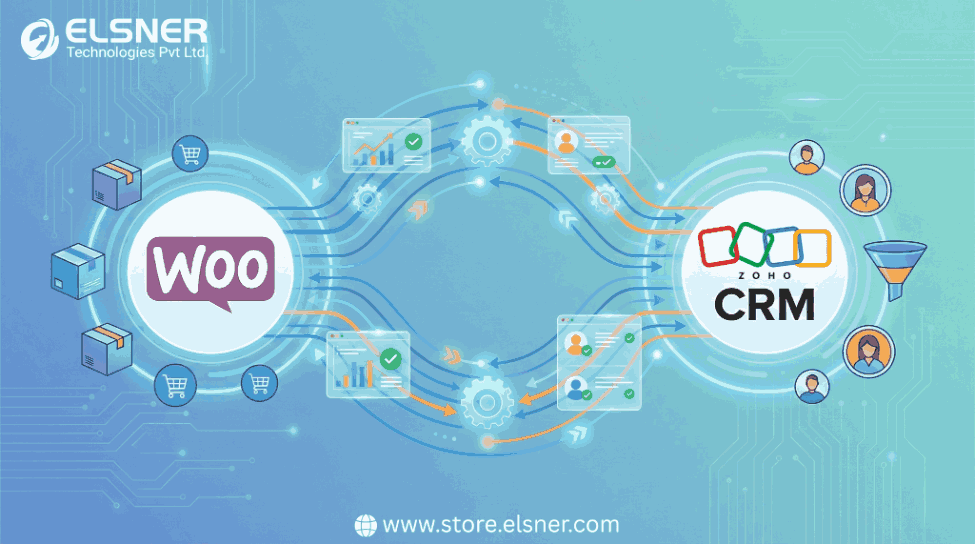
Running an eCommerce store today means dealing with a level of operational complexity that didn’t exist a few years ago. More channels, more customer expectations, more automation. And somewhere in the middle of all this, many businesses realize that WooCommerce alone cannot handle everything. Zoho CRM steps in as the system of record—managing relationships, sales activity, workflows, and internal communication.
But the real challenge begins when the two systems need to work together. Anyone who has tried manual syncing knows the frustration: order details missing, inventory mismatches, customer profiles showing half the information, and teams constantly asking why their CRM doesn’t reflect what’s happening on the store.
This is why choosing the right woocommerce zoho crm integration plugin becomes a critical decision. It influences how reliable your data remains, how much manual work gets eliminated, how quickly your team responds to customers, and how stable your operations stay as you scale.
This guide aims to walk you through the actual considerations, not the feature lists you usually see on plugin pages, but the points that genuinely matter when choosing a WooCommerce and Zoho Inventory Integration (Plugin) tool.
Table of Contents
Why the Right Integration Plugin Is More Important Than Most People Assume
The plugin you select does much more than pass information between WooCommerce and Zoho. It dictates the accuracy of your reporting, the speed of your workflows, the quality of customer insights, and even the stability of your online store.
A reliable zoho crm woocommerce integration quietly supports daily operations. A poor one slowly disrupts them until the problems become too large to ignore.
The right plugin becomes invisible.
The wrong one becomes the focus of every meeting.
1. Real-Time Sync That Is Actually Real-Time
Many plugins label themselves as “real-time,” but a closer look reveals scheduled syncs that run every 10–30 minutes. For some industries, that delay is enough to cause serious problems. Overselling, duplicate orders, inaccurate sales numbers, and delayed notifications are only the beginning.
A genuine real-time integration should update:
- Orders
- Customer profiles
- Product stock levels
- Payment status
- Notes and metadata
- Refunds and cancellations
There is no reason your CRM should still be waiting for information that your store generated minutes ago. If the plugin cannot deliver near-instant exchange, it will eventually cause operational friction.
2. Inventory Synchronization That Is Dependable Under All Conditions
Inventory is the backbone of any eCommerce system. If stock levels inside Zoho are not aligned with WooCommerce at all times, everything else becomes unreliable.
A mature WooCommerce and Zoho Inventory Integration must handle:
- Variant-level stock updates
- Multi-warehouse or multi-location setups
- Purchase order adjustments
- Batch or serialized items, if applicable
- Rapid updates during high-volume periods
Some plugins struggle when a store has hundreds or thousands of SKUs. Others mismanage variant stock or incorrectly push quantity changes. These issues quickly lead to overselling or order cancellations, both of which harm your brand more than most people realize.
3. Customer & Lead Management That Reflects Real Buying Behavior
Zoho CRM is used to understand customers. But that understanding depends entirely on the quality of data flowing from WooCommerce.
The integration should send:
- Complete customer identity details
- Accurate contact information
- First-time vs returning customer insights
- Order history
- Preferred categories or product types
- Payment and fulfillment details
- Tags or segmentation markers
When this information is missing or incomplete, CRM automations fail, sales teams make assumptions, and your marketing efforts become less effective.
A strong zoho crm woocommerce integration will treat customer data with the same precision as order data.
4. Full Compatibility With Zoho Workflows, Automation, and Blueprint
Connecting WooCommerce to Zoho is not enough. The integration must also respect Zoho’s internal processes, especially if you’re managing setups like WooCommerce Multiple Stripe Accounts. Your automations, rules, scoring systems, and lead journeys depend on the quality and structure of incoming data.
An integration plugin should trigger:
- Lead assignment rules
- Email sequences
- Sales notifications
- Pipeline movements
- Retargeting flows
- Custom function triggers
If the plugin cannot push data in a format that your automations understand, you are left manually correcting information or adjusting workflows just to compensate for the integration. That is not a sustainable approach.
5. Code Quality and Performance That Doesn’t Burden WooCommerce
Plugins impact performance more than most store owners realize. An integration plugin that is heavy, outdated, or poorly optimized will slow down page loads, checkout flow, admin processing, or database operations.
You do not want a plugin that:
- Generates excessive API calls
- Creates large log files
- Makes unnecessary database queries
- Loads scripts on the front-end without reason
- Conflicts with caching setups
A dependable integration operates quietly in the background without affecting your store’s speed.
6. Support Quality That Matches the Complexity of Integrations
Integrations fail at times. APIs change. Zoho introduces new rules. WooCommerce releases major updates. Conflicts appear. Data gets stuck. It happens across every platform.
What separates a reliable plugin from an unreliable one is how quickly these issues get resolved.
When evaluating support, consider:
- Response speed
- Technical depth of the team
- Willingness to troubleshoot
- Availability across time zones
- Access to developer-level assistance
- Documentation quality
A plugin without strong support is a risk. When something breaks, you do not want to wait days for a reply or rely on generic knowledge-base articles.
7. Pricing Structure That Is Straightforward and Honest
The pricing model tells you a lot about a plugin. Some tools advertise low entry prices but require multiple paid add-ons to unlock essential features such as inventory sync, automation, variant mapping, or logs.
Look for:
- Clear pricing
- No forced add-ons
- No hidden “per module” charges
- All core features included
- Upfront explanation of limitations
Any tool that complicates pricing will likely complicate support and implementation, too.
8. Reporting, Logs, and Visibility Into What the Integration Is Doing
You need to know what synced, what failed, and why it failed. A plugin must provide a dashboard or at least a clear log system so that your team can quickly troubleshoot issues.
This transparency reduces guesswork and allows you to understand whether errors originate in WooCommerce, Zoho, or the bridge between them.
9. Flexible Mapping for Stores With Custom Fields or Non-Standard Structures
Most businesses run custom WooCommerce setups. They rely on additional fields, attributes, custom tax rules, or special fulfillment workflows. Zoho CRM often contains custom modules and fields as well.
A rigid integration will not align with these structures.
The plugin must allow mapping of:
- Custom fields
- Metadata
- Attributes
- Order statuses
- Categories and tags
- SKU structures
- Variants
- Custom CRM modules
Flexibility in mapping is what makes the integration useful rather than restrictive.
10. Compatibility With Other Plugins Already Active on Your Store
WooCommerce stores rarely run with the default setup. They use:
- Subscriptions
- Booking systems
- Dynamic pricing
- POS integrations
- Warehouse management plugins
- Payment gateway extensions
Your chosen integration must coexist with them. If conflicts occur, your operations will suffer immediately. Always check compatibility reports or ask the support team directly before committing.
The Critical Checklist for Selecting the Right Plugin
Use this as a ready reference before selecting any plugin.
1. Sync & Data Accuracy
- Real-time sync (orders, customers, inventory, payments)
- Variant-level sync support
- Accurate Zoho CRM contact & lead creation
- Stable sync even for large catalogs
2. Inventory Sync Quality
- WooCommerce and Zoho Inventory Integration support
- Multi-warehouse compatibility
- Proper stock deduction + refill sync
- Supports product variations and SKUs correctly
3. Customer + Order Data Handling
- Complete customer details mapping
- Order notes, coupon usage, and metadata sent to Zoho
- Lifetime value & repeat customer logic supported
- Custom fields mapping available
4. Automation Compatibility
- Works smoothly with Zoho CRM workflows
- Supports Blueprint triggers
- Compatible with Zoho automation, scoring, and segmentation
- Can push data in formats that Zoho workflows understand
5. Technical Stability
- Lightweight, optimized code
- Does not slow down WooCommerce
- Error logs + retry system included
- Frequent updates + active maintenance
6. Support Quality
- Fast response time
- Technically strong team
- Help with mapping and setup
- Clear documentation
7. Pricing Transparency
- No hidden add-ons
- Inventory sync included (not extra)
- Transparent plan structure
- No forced upgrades for essential features
8. Dashboard & Visibility
- Clear logs
- Success/failure indicators
- Easy troubleshooting
- Sync history view
9. Mapping Flexibility
- Supports custom WooCommerce fields
- Supports custom Zoho fields
- Full control over what maps were
- Works with specialized workflows
10. Compatibility
- Works with subscriptions
- Works with payment gateway add-ons
- Compatible with major WooCommerce extensions
- Tested with the latest WordPress + WooCommerce + Zoho versions
Mistakes Business Owners Commonly Make When Choosing a Plugin
A few patterns repeat themselves across many failing integrations:
Choosing a cheap plugin because “all integrations are the same.”
Assuming Zoho CRM integration also includes Zoho Inventory support.
Ignoring the quality of customer data fields.
Overlooking variant compatibility.
Not verifying whether the plugin is actively maintained.
Disregarding support responsiveness.
These decisions usually lead to migration costs, data cleanup, and operational downtime later.
How a Good Integration Strengthens the Entire Business
A proper woocommerce zoho crm integration generates value in multiple areas:
- Higher data accuracy
- Faster customer response times
- Better automation coverage
- More reliable inventory levels
- Stronger reporting
- Reduced manual entry
- Improved collaboration between sales, support, and operations
Once the integration becomes stable, teams rely on it for decision-making. It becomes a foundational part of the system, not just a plugin installed on a WordPress dashboard.
Final Thoughts
The integration between WooCommerce and Zoho CRM is more than just a technical connection. It’s a workflow decision, a data decision, a customer experience decision. The WordPress & WooCommerce Plugins you choose directly influence the smoothness of your daily operations and the clarity of your long-term insights.
Take time evaluating options. Test thoroughly. Review mapping capabilities. Confirm support reliability. Speak with the team behind the plugin when needed. The goal is not just connecting two platforms, but creating a dependable system that stays consistent as your business grows.
